
How I Turned My Scripts into Claude Skills and Doubled My Productivity
Recently, while using Claude Code, I noticed I was doing something strange.
Every time I deployed a website, I had to repeat the same instructions:
"Help me create a private GitHub repository, I've already installed GitHub CLI..."
"Remember to run npm run build to check for errors..."
"Before deploying to Vercel, check the environment variables..."
As I kept saying these, I suddenly realized — I was basically acting as Claude's "product manager."
Every single time, I had to teach it step-by-step how to deploy, configure multi-language support, and check SEO. The most frustrating part? Claude would sometimes "get creative" and skip critical steps, causing deployments to fail.
That changed on October 16th when Claude released Agent Skills.
I spent two days transforming my common scripts into Skills. The results were immediate — no more repetitive explanations, no worrying about mistakes. Claude knows exactly what to do.
What Are Agent Skills?
Simply put, they're "professional skill packages" for Claude.
You package your workflows, scripts, and best practices into a folder, and Claude automatically uses them when needed. No need to repeat yourself every time.
The core design uses "progressive disclosure" with three loading levels:
- Level 1: Metadata - Only loads name and description (~100 tokens), Claude uses this to decide when to activate
- Level 2: Main Instructions - Loads complete
SKILL.mdwhen task matches (<5,000 tokens) - Level 3: Detailed Resources - Loads scripts, docs, examples on demand (theoretically unlimited)
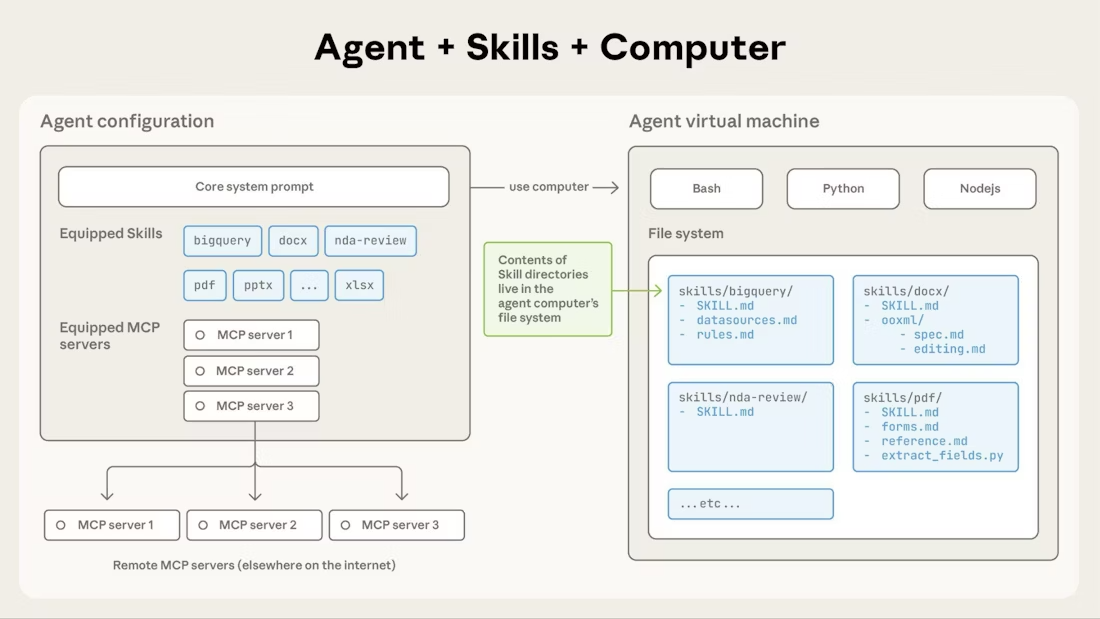
This design's benefit: You can pack tons of content into a Skill without consuming Claude's context window. It only loads what's needed.
The biggest advantage: Transform from "writing prompts every time" to "configure once, use forever."
My Practice: Turning 2 Scripts into Skills
1. Deployment Workflow Skill
Before: Every deployment required explaining the 5-step process, and Claude would sometimes skip steps, causing failures.
Now: Created a deploying-to-production Skill with this core configuration:
---
name: Deploying to Production
description: Automates GitHub repository creation and Vercel deployment.
---

## Deployment Workflow
- [ ] Step 1: Run build and verify no errors
- [ ] Step 2: Create GitHub repository
- [ ] Step 3: Push code to GitHub
- [ ] Step 4: Deploy to Vercel
- [ ] Step 5: Verify deployment

**Step 1: Run build**
Run: `npm run build`
**If build fails**: Review errors, fix issues, run again.
**Only proceed when build succeeds.**
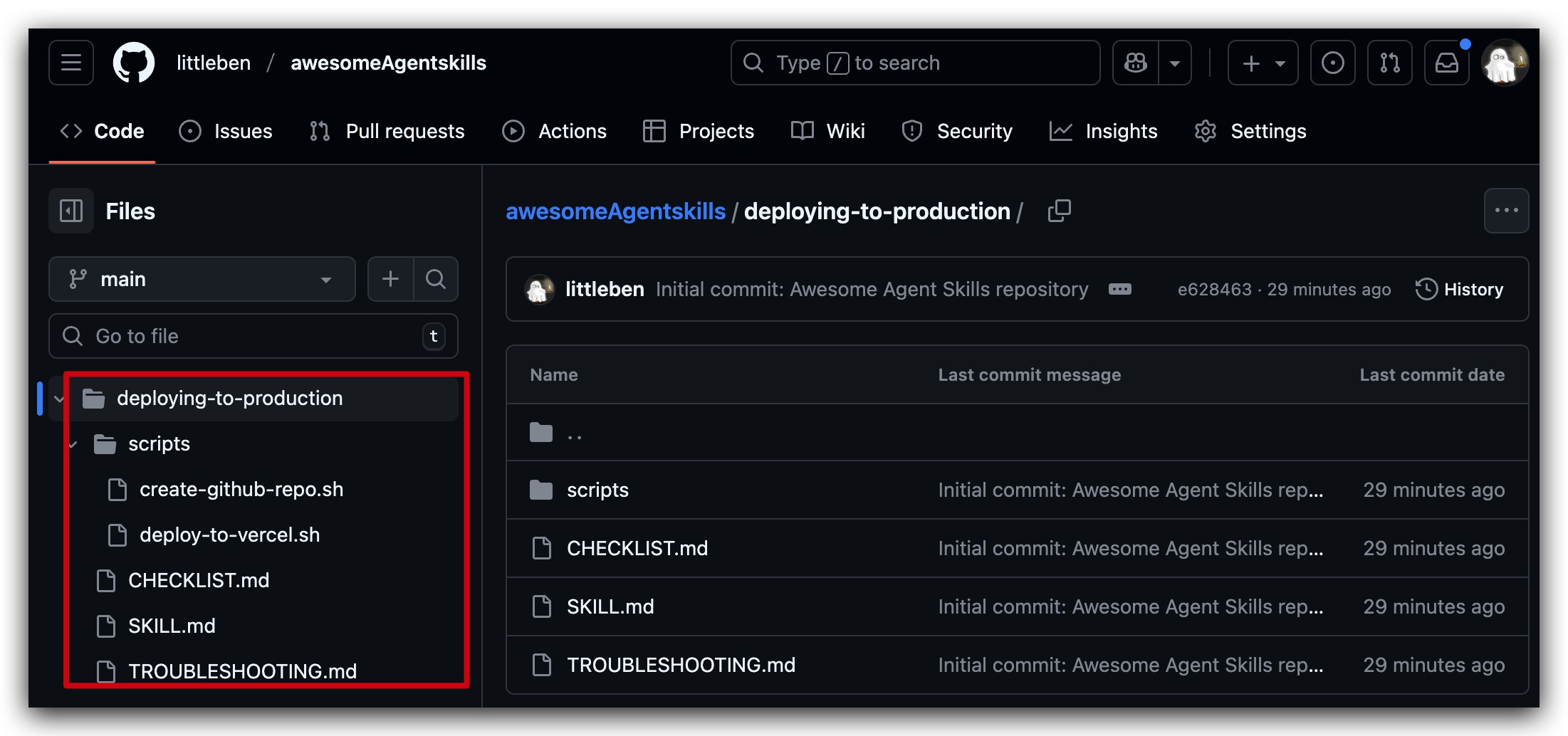
Now I just say "help me deploy this website," and Claude automatically executes the complete workflow. Each step has a checklist, and if something goes wrong, it automatically diagnoses and suggests fixes.
Result: Dramatically improved stability. No more worrying about missing steps. I used to frequently fail deployments due to forgotten steps — now it's virtually error-free.
2. Internationalization Workflow Skill
Before: Manually creating language files, configuring routes, adding hreflang, updating sitemaps... took 1-2 hours and was easy to miss details.
Now: Created an internationalizing-websites Skill with complete scripts and reference docs.
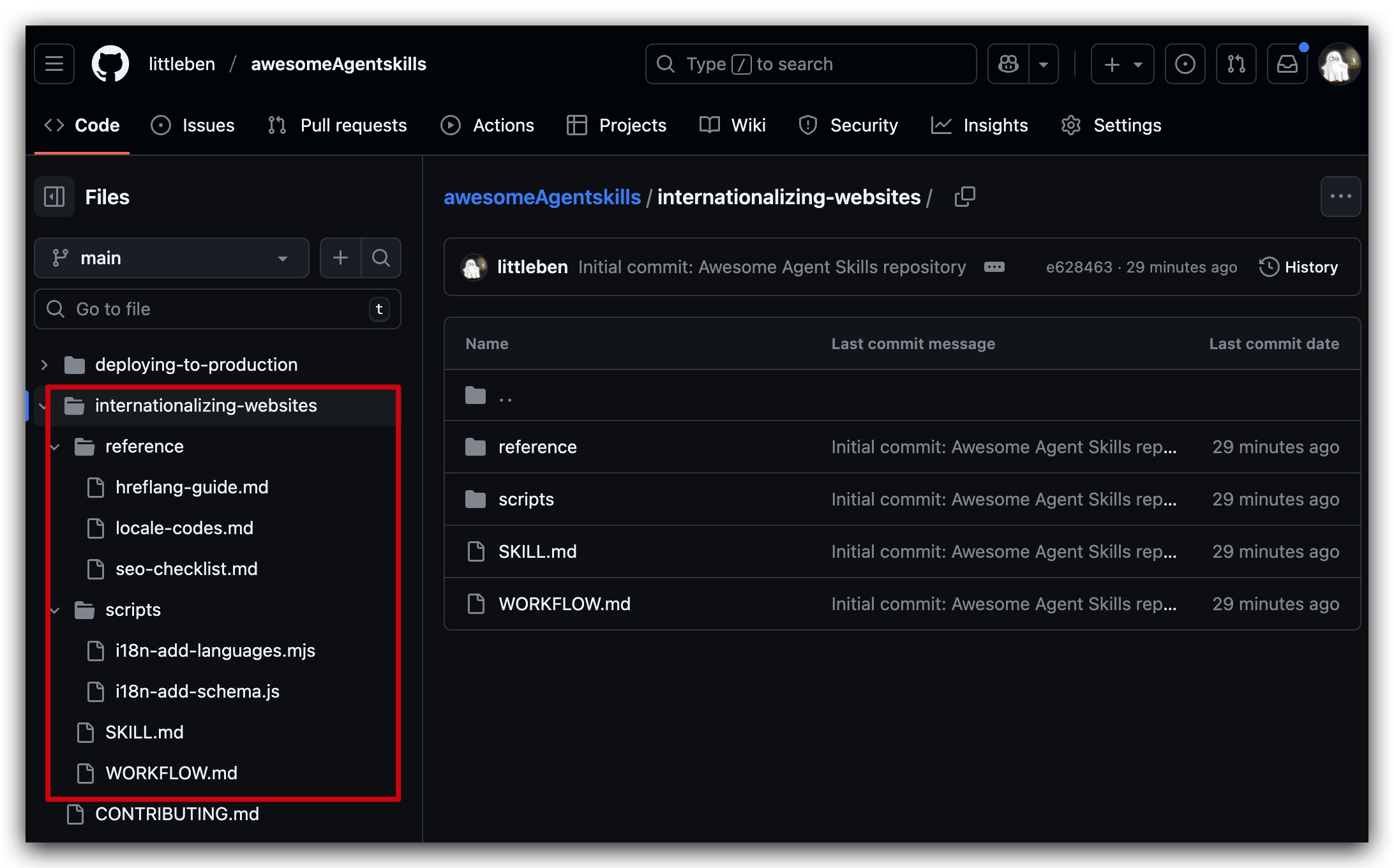
I added English and Japanese support to my personal website (benx.ai) in 10 minutes. Plus, the details are handled better — Open Graph tag internationalization, proper hreflang configuration. Things I used to forget are now automatically checked by the Skill.
Testing Official Skills: webapp-testing
After configuring my own Skills, I downloaded the 12 official Skills provided by Anthropic to test their quality.
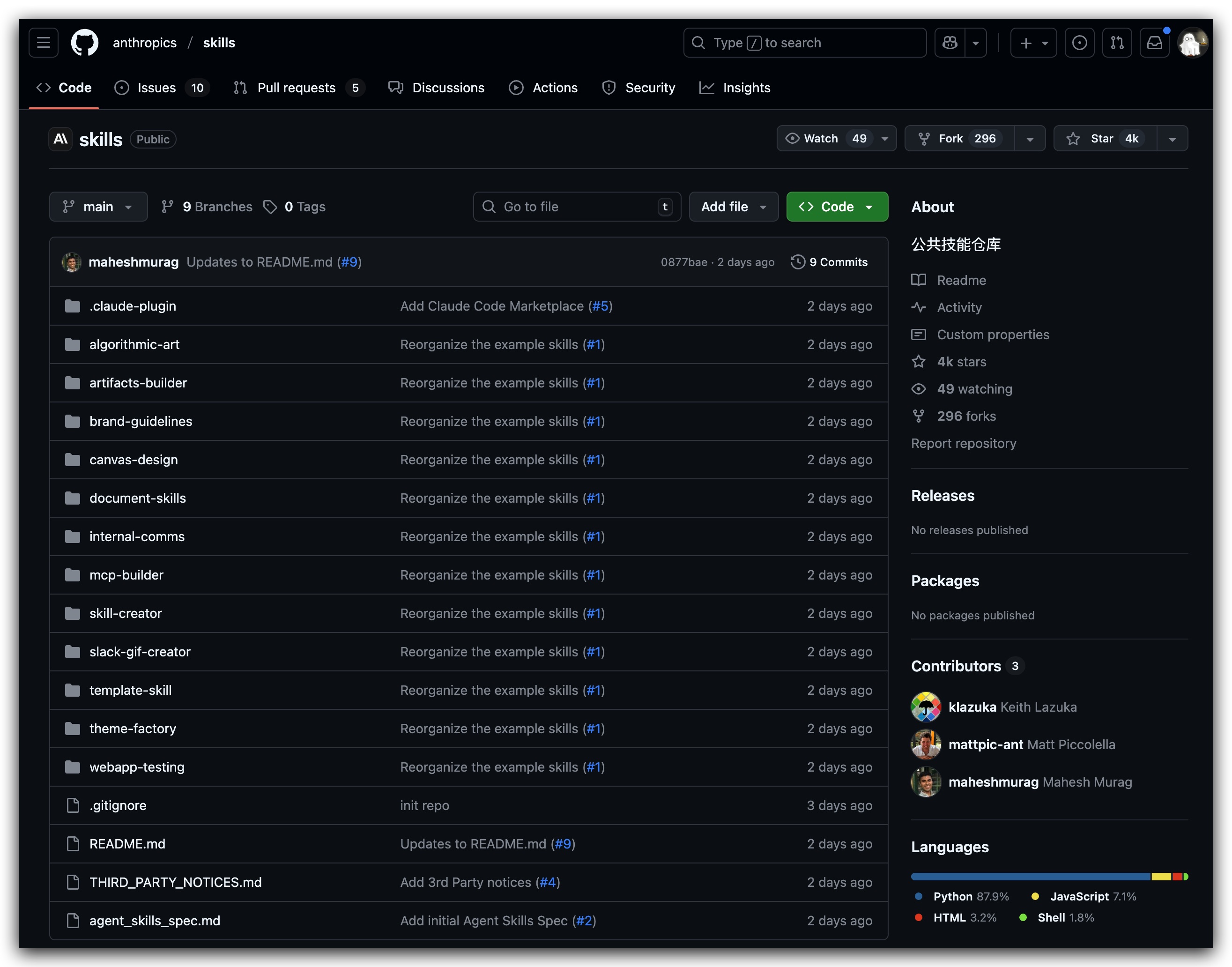
I chose the webapp-testing Skill to test my personal website benx.ai.
This Skill is based on Playwright and can automate website testing. I just said: "test benx.ai with webapp-testing skill," and Claude automatically created test scripts, launched the browser, and performed comprehensive testing.
Test results:
🌐 webapp-testing Skill - Test Results
=====================================
✅ Page loaded successfully
🔘 Found 22 buttons | 🔗 Total 6 links

📱 Responsive Design Test:
  ✅ iPhone SE (375x667) - Screenshot saved
  ✅ iPad (768x1024) - Screenshot saved
  ✅ Desktop HD (1920x1080) - Screenshot saved

⚡ Performance Check:
  🐛 Console errors: 0
  ⚠️ Console warnings: 0
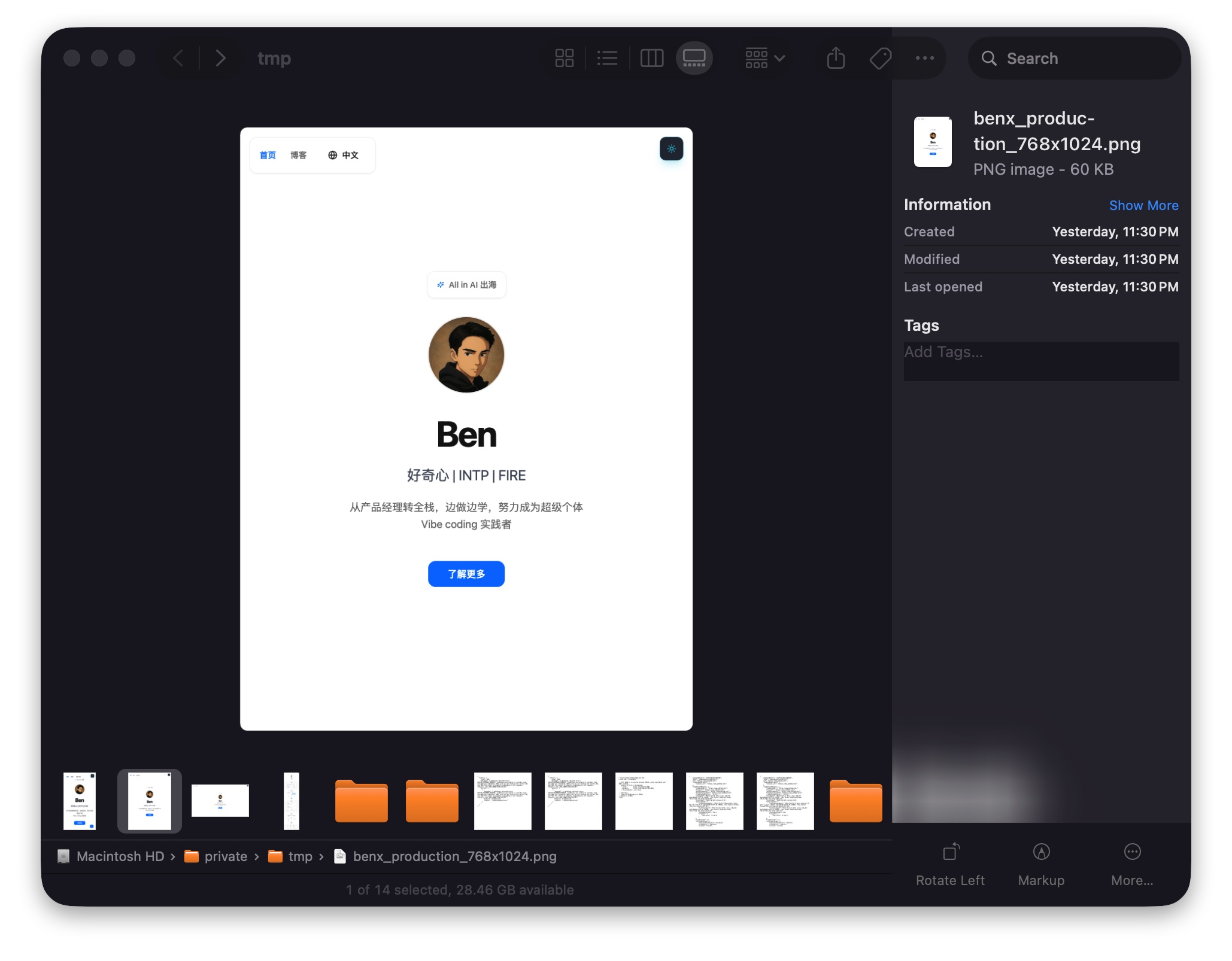
Without writing a single line of code, it completed element discovery, multi-device screenshots, error monitoring, and SEO checks. The whole process took less than 1 minute.
3 Key Lessons from Creating Skills
1. Be Precise in Descriptions
The description field is crucial — Claude uses it to determine when to trigger the Skill.
The key is to include: trigger keywords + specific scenarios.
Example: Automates GitHub repository creation and Vercel deployment. Use when deploying new websites, or when user mentions deployment, GitHub, or Vercel.
2. Keep Instructions Concise
Claude is already smart — don't write unnecessary details. Assume it understands the basics, only write what it doesn't know.
3. Add Feedback Loops
Complex workflows need "verify-fix-retry" mechanisms so Claude won't skip critical steps and knows how to handle errors.
How to Get Started?
Option 1: Download Official Skills
Anthropic provides 12 ready-to-use Skills (document processing, web testing, Canvas design, etc.).
Download directly: https://github.com/anthropics/skills
Option 2: Have Claude Generate Them
The official skill-creator Skill is specifically designed to create new Skills. Just tell Claude what you want to do, and it will guide you step-by-step to create complete file structures.
Option 3: Use My Open Source Skills
To help more people get started quickly, I've open-sourced my two Skills:
🔗 GitHub Repository: https://github.com/littleben/awesomeAgentskills
Currently includes:
- deploying-to-production - Automated deployment workflow
- internationalizing-websites - Website internationalization workflow
These are production-grade configurations I actually use. Download and use them directly.
Feel free to submit your own Skills! If you've created useful Skills, PR contributions are welcome. Let's build a high-quality Skills community resource library together.
From "Assistant" to "Professional Engineer"
After two days with Agent Skills, my biggest realization is: Claude has evolved from an "AI coding assistant" to an "AI professional engineer".
Before, Claude was more like a smart intern: you had to teach it step-by-step before it could complete tasks.
Now with Skills, it's more like an experienced engineer. You just state the goal, and it knows what to do, what to watch out for, and how to handle errors.
Plus, configure once and benefit long-term. My two Skills have been stable every time I've used them these past few days, saving tons of time without needing to repeat instructions.
If you're also using Claude Code for projects, I highly recommend trying Agent Skills. Transform your scripts, workflows, and best practices into Skills — your efficiency can truly double.
Original article: https://benx.ai/blog/posts/claude-agent-skills-practice