
Claude Skills for Beginners: Why Non-Programmers Love It More
Claude Agent Skills has created two strange phenomena in the tech community:
- It's extremely popular among tech circles, but completely confusing for beginners
- Despite being released for two days, few people are actually using it
Let me explain what it is in the simplest way possible.
What Problem Does Claude Agent Skills Solve?
In the past, using Claude as an Agent relied almost entirely on prompts. The Agent's performance was unstable and the process was uncontrollable.
This is exactly the core problem Claude Agent Skills solves: stability and controllability. For complex tasks (like generating Excel files with formulas, standardized PPTs), using executable code instead of "pure prompts" makes outputs more predictable, stable, and reusable.
How Claude Agent Skills Works
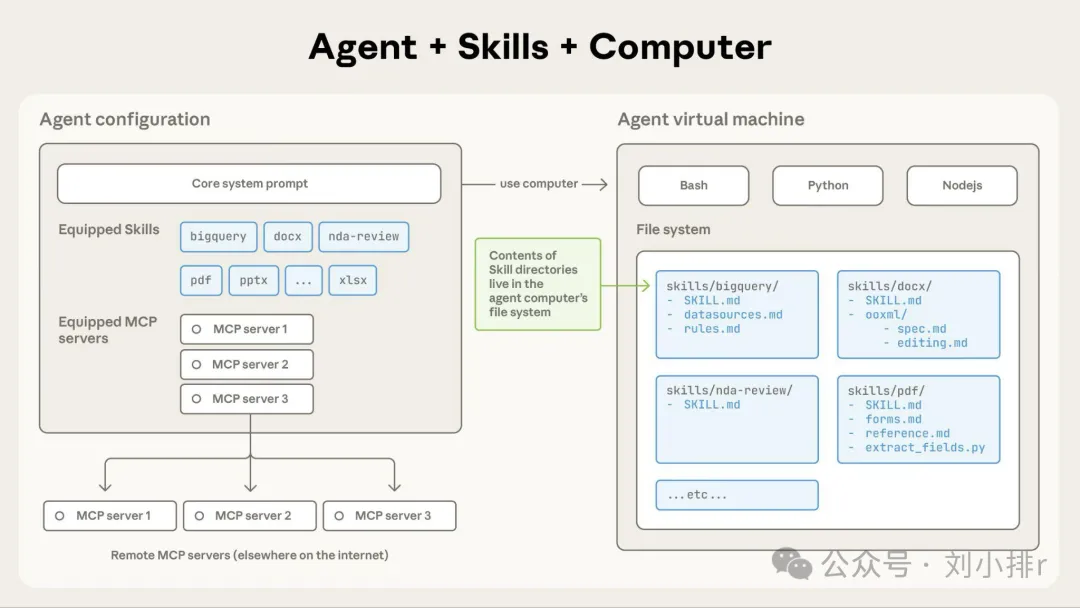
From a technical perspective, Claude Agent Skills provides your Claude Agent with: skill descriptions, a computer (cloud virtual machine), file system, code, and code execution environment.
Each Skill lives in a separate file folder - we can call it a "skill package" - containing custom instructions, scripts, and resources for Claude. Claude automatically scans available skills when processing tasks, loads only the minimal information and code needed on-demand, ensuring stability for specialized tasks.
How Beginners Can Use Claude Agent Skills
Step 1: Enable the Feature
First, you need a Claude Pro/Max/Team account. Then go to: https://claude.ai/settings/capabilities
Find Skills and check them.
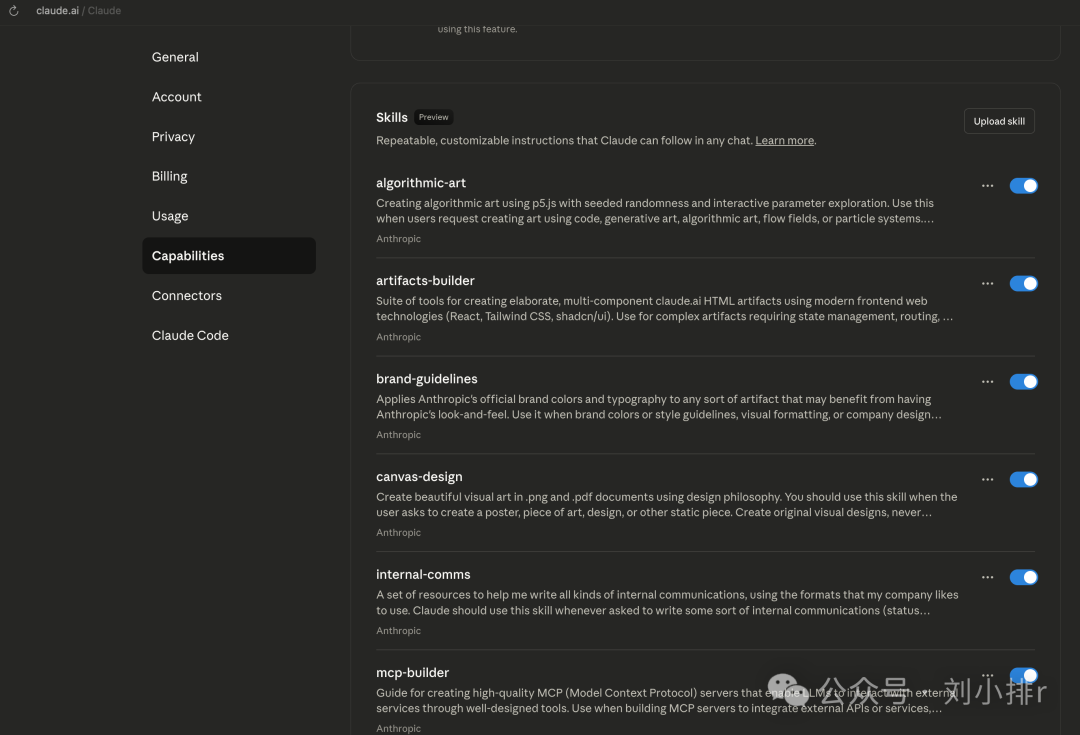
Now you can use them in regular Claude - both web version and desktop app work.
Step 2: Use Your First Skill
Let's try using the canvas-design Skill to create graphics.
- Before: Claude would write an HTML file
- Now: With canvas-design enabled, Claude calls code to draw, creating PNG files instead of HTML
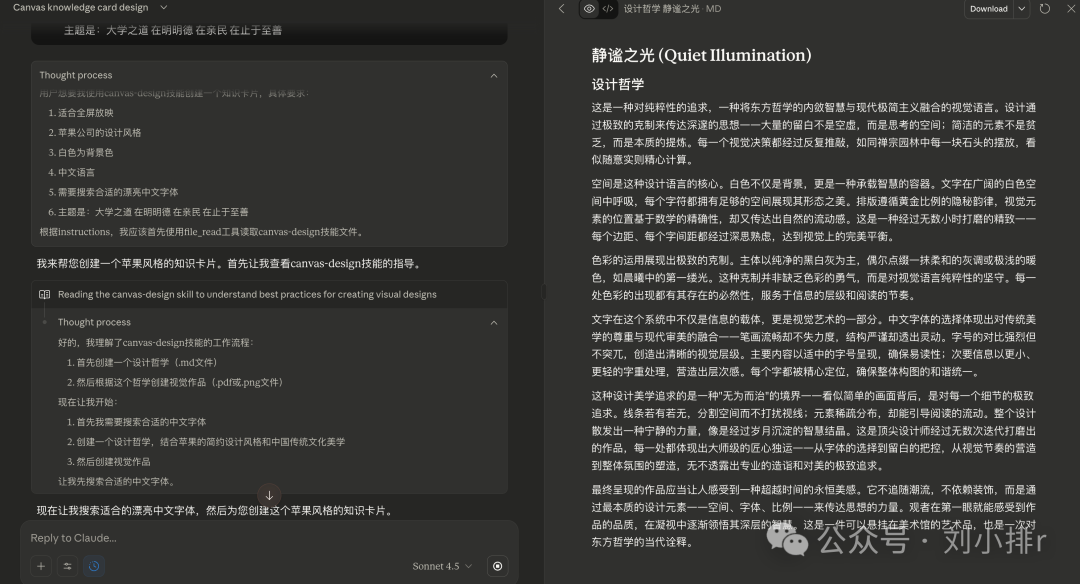
I asked Claude to create a knowledge card for the phrase "The Great Learning."
First, it carefully explained its design philosophy:
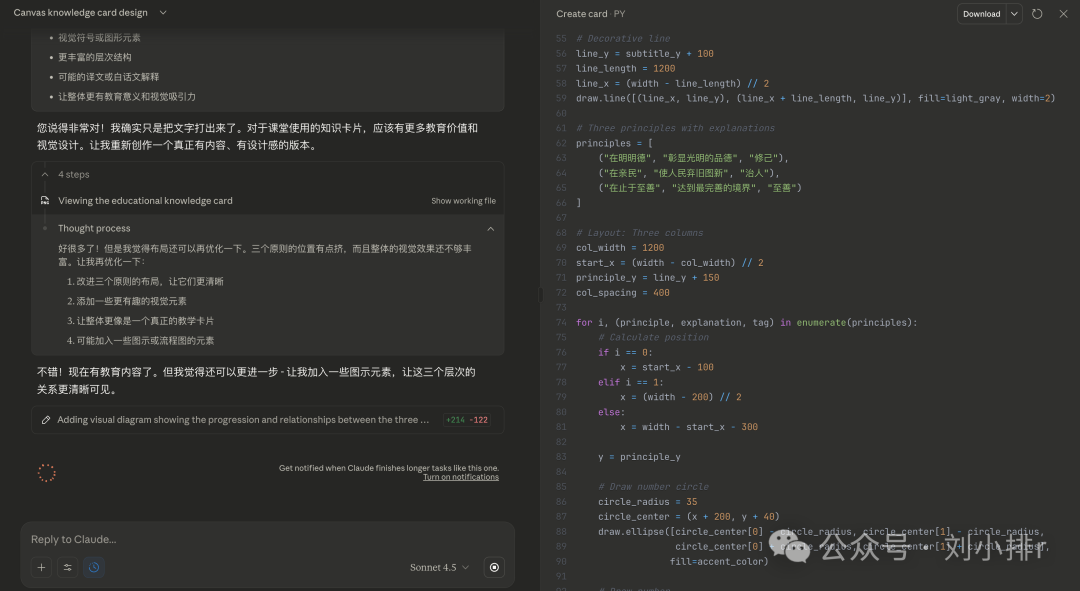
Looking closer, Claude wrote Python code and executed it to complete the image, rather than creating an HTML page.
This is the final product:
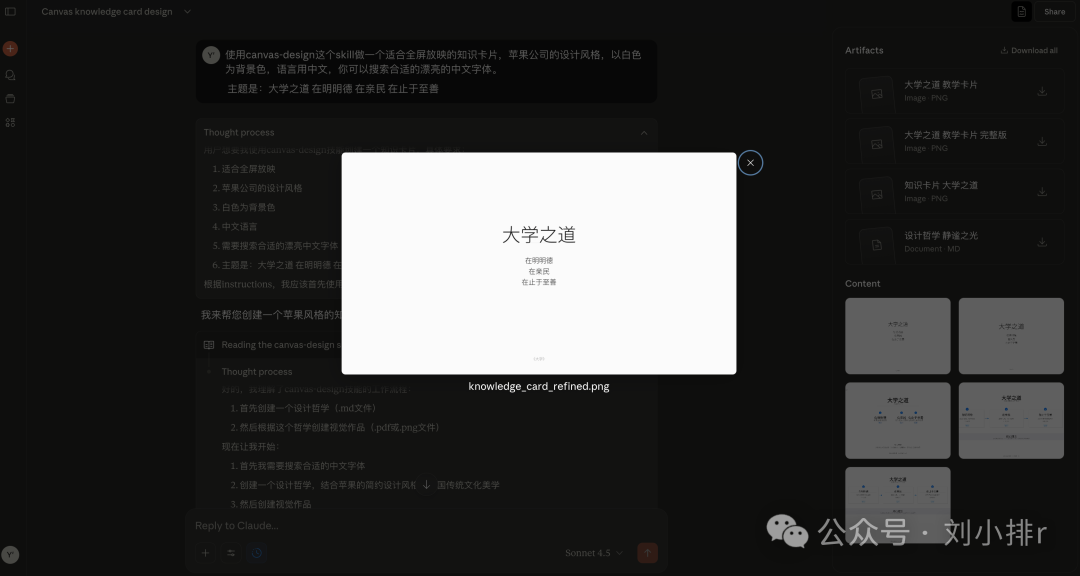
Skills aren't necessarily better-looking - they win on stability.
Step 3: Use Other Official Skills
Visit this address: https://github.com/anthropics/skills/tree/main
The most fun ones are in the document-skills/ directory because they let Claude directly manipulate docs/pdf/pptx/xlsx files!
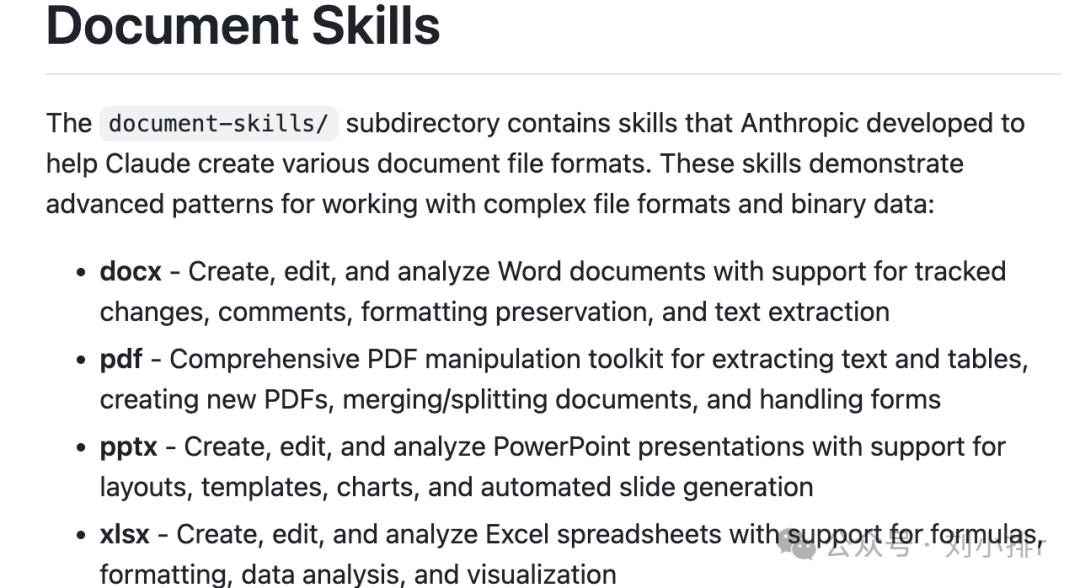
- docx: Word document creation/editing/review (with revisions, comments, format preservation)
- pdf: PDF text/table extraction, merge/split, form processing
- pptx: PPT layout/templates/charts/auto-generation for presentations
- xlsx: Excel formulas/formatting/analysis/visualization for reports
I sent Claude a PDF invoice and asked it to modify it.
Claude carefully studied the "PDF skill" documentation, planned its approach, then wrote and executed code.
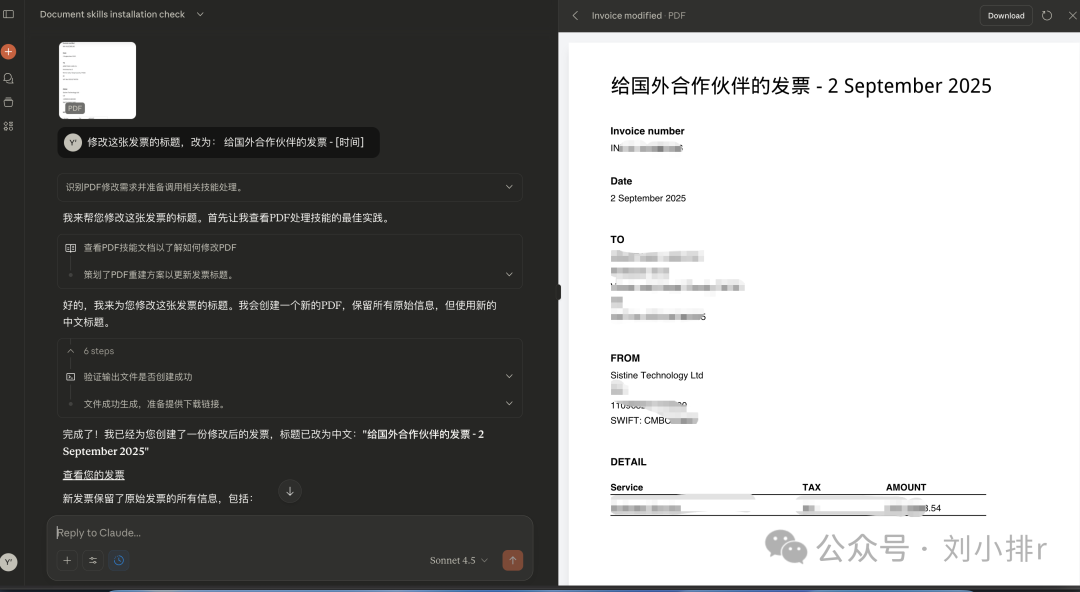
It worked perfectly! I never want to pay for WPS again!!
Quickly Create Your Own Claude Agent Skills
Remember: You can create Skills yourself, whether you're a programmer or not!
The simplest way to create a Skill: Tell Claude "I want to create a skill, guide me"
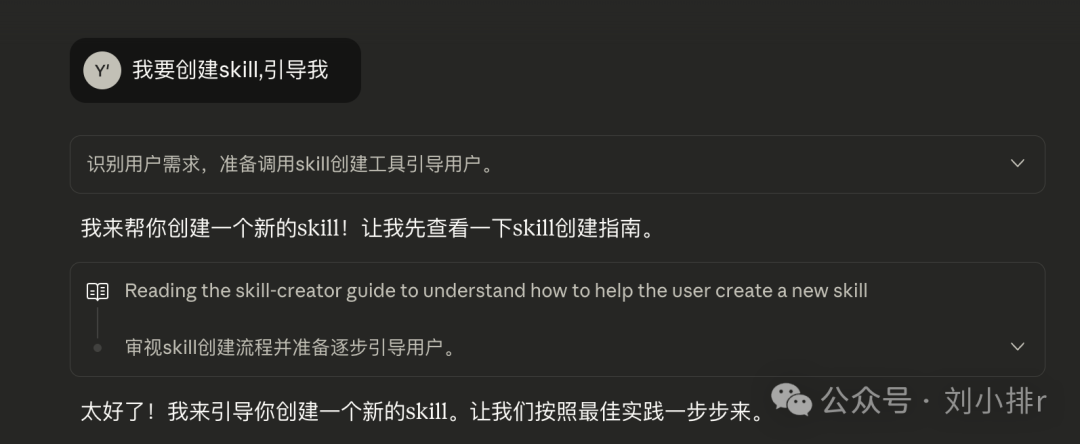
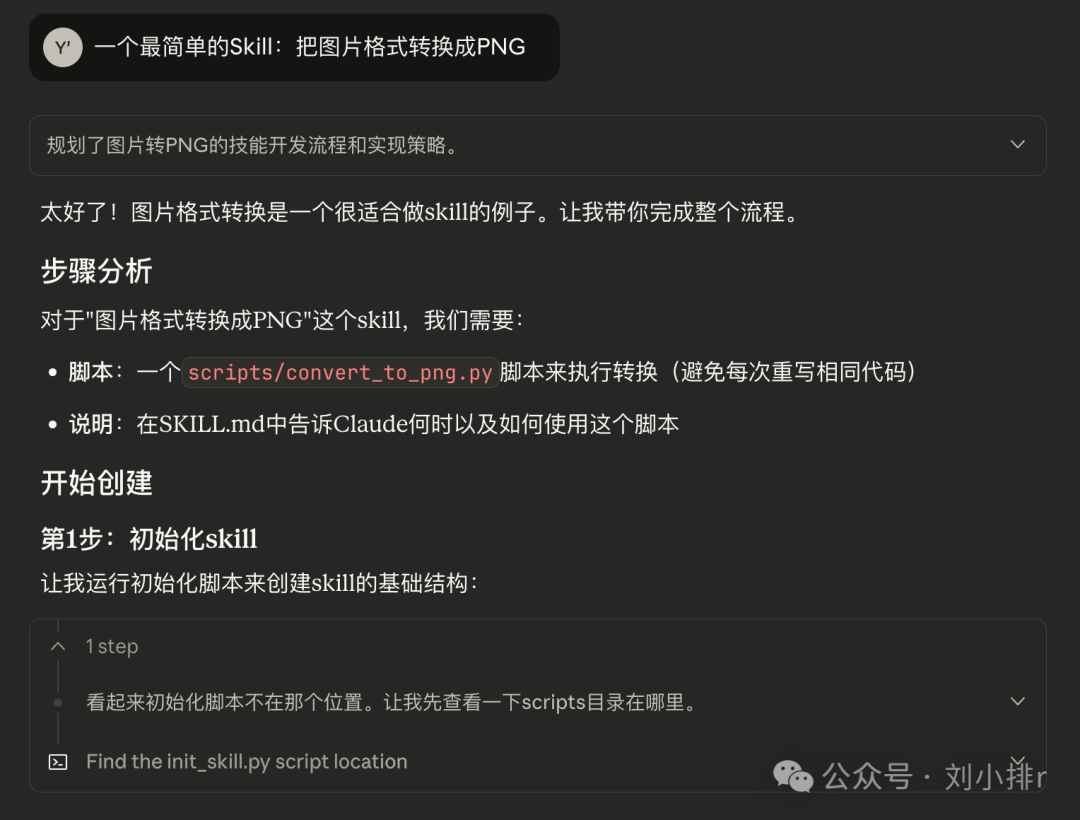
After creation, download it directly as a zip package. Then click upload in Skills to install it.
Why is creating Skills so convenient and magical? Because we already enabled the built-in skill-creator Skill that guides us through creating new Skills.
For Programmers: Use Skills in Claude Code
In Claude Code, type /plugins to explore.
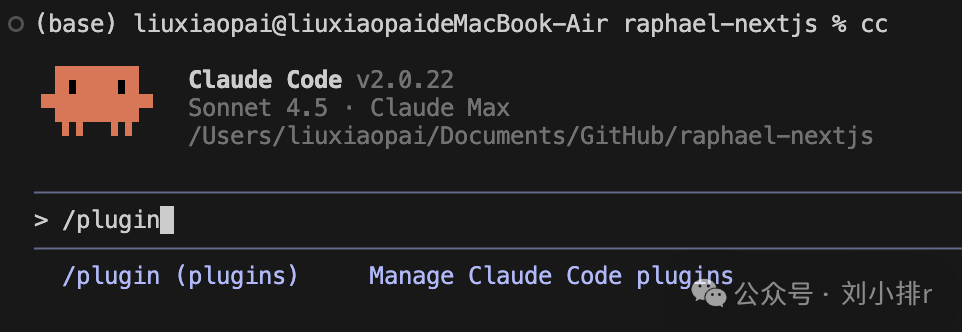
See official documentation: https://docs.claude.com/en/docs/claude-code/plugins
As a programmer, you don't need to install Skills you create - just put them in a local folder and let Claude Code use them directly.
Reader Q&A
Q: Can I download Skills from GitHub and use them locally? A: Yes! You can download open-source Skills from GitHub and place them in your local directory.
Q: Can this work with domestic Chinese models? A: Yes, it works with all models. Skills aren't model-specific.
Q: What's the difference between this and adding code blocks to agent tools? A: The key difference is that Skills can contain examples, PDFs, various scripts, and any files you can imagine all within one Skill package.
Q: Is this like MCP but without needing a server, or local tools? A: Exactly! It's essentially local-executing tools without needing to set up services.
Q: Can Claude Code work with GLM? A: Yes, it should work fine with all models.
Q: Claude with added skills is going to explode! A: The potential is incredible indeed!
Q: The barrier to entry is a Claude Pro/Max/Team account. Non-programmers like me are stuck outside. A: You can use proxy services like Chunqiu's relay service with Claude Code as an alternative.
Original article: https://mp.weixin.qq.com/s/L5_LSgYfr98buRSYE7gC9g